 schemaOpen SpicePad
SpicePad is a full-featured schematic editor and SPICE simulator — no install, no license, no cloud upload. Draw circuits, run transient and AC analysis, and see results, all in the tab you already have open.
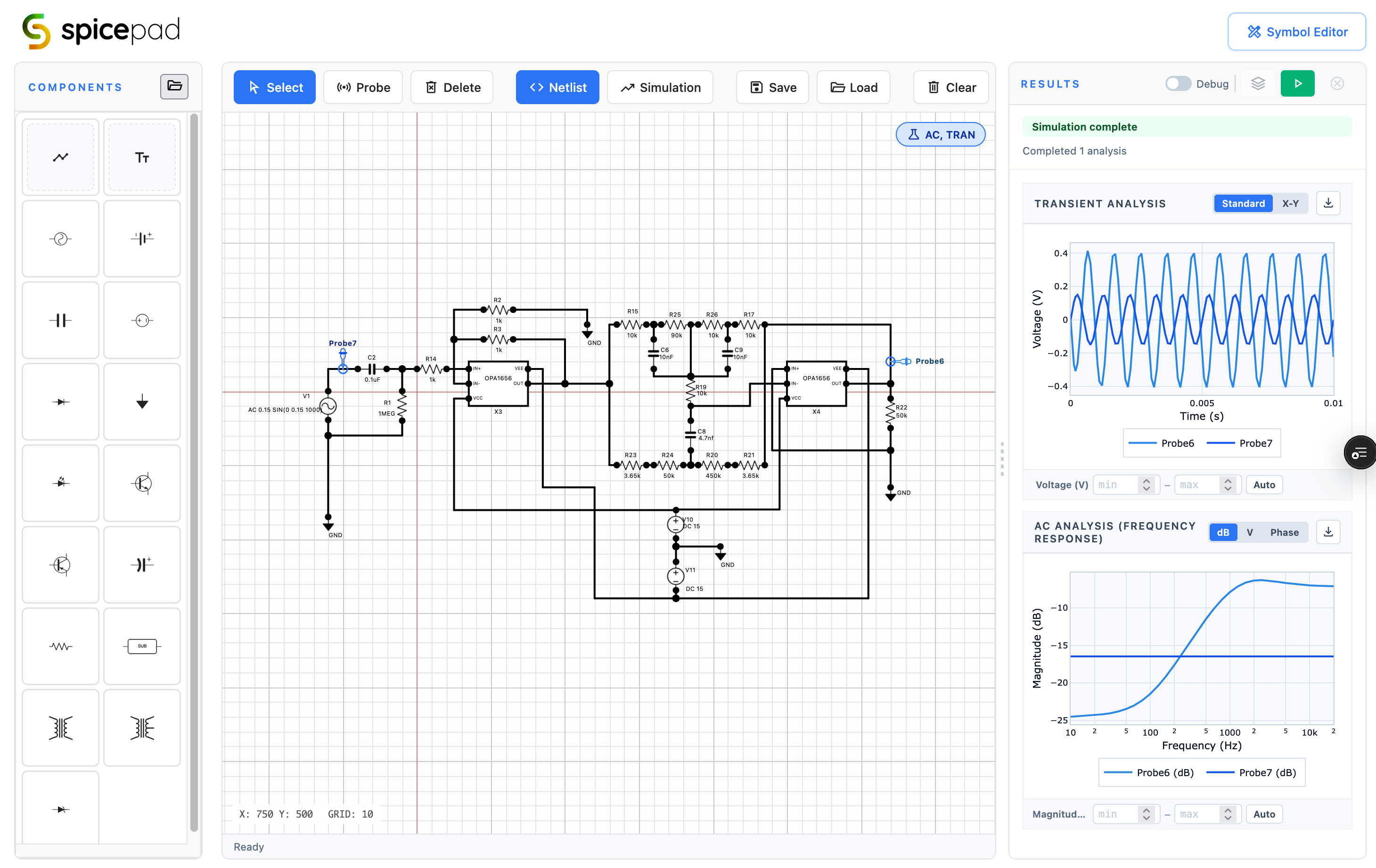
Place components, route wires, and build real netlists with a precision canvas that snaps to grid and validates connectivity automatically.
Simulate time-domain behaviour with configurable step size and stop time. Plot voltage and current waveforms in real time.
Sweep frequency from mHz to GHz and plot gain and phase. Bode plots update as soon as the run completes.
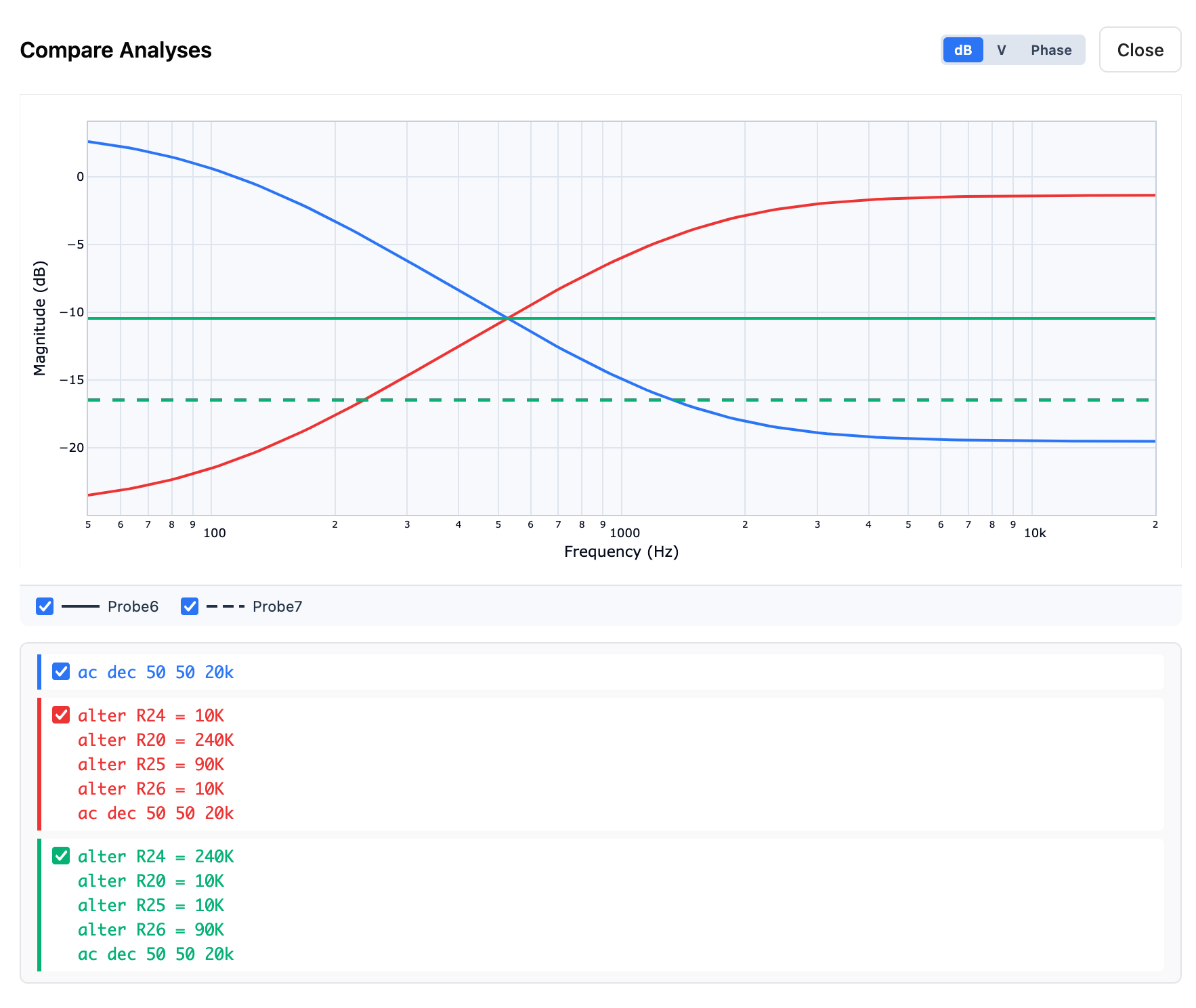
Overlay multiple simulation runs to compare component values or topologies. Toggle runs on or off in the results panel.
Import spice or pspice model from manufacturers models or your own subcircuits and place them like any first-class component.
Click any node to place a named probe. Results appear in the panel immediately after simulation.
Draw custom component symbols with vector primitives. Define pin positions, preview all rotations, and save to your personal library.
Generate a clean SPICE netlist from any schematic. Compatible with ngspice and other SPICE-family tools.
Powered by ngspice compiled to WebAssembly. No account required. No server upload. Your circuits stay on your machine.
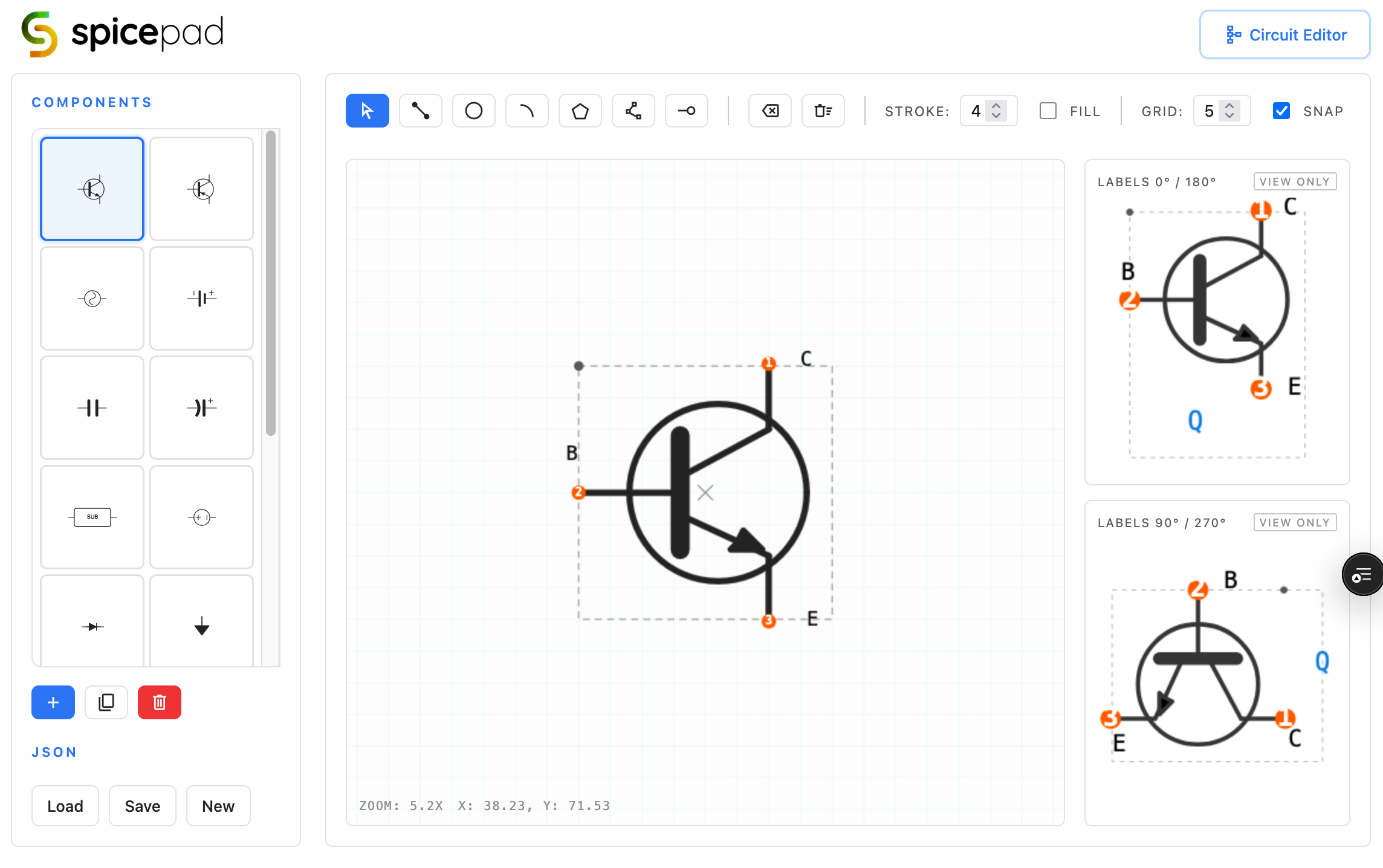
The built-in symbol editor lets you draw custom component graphics using standard primitives — lines, arcs, polygons, pins. Define where connections land, preview every rotation, and save to your library for instant reuse.
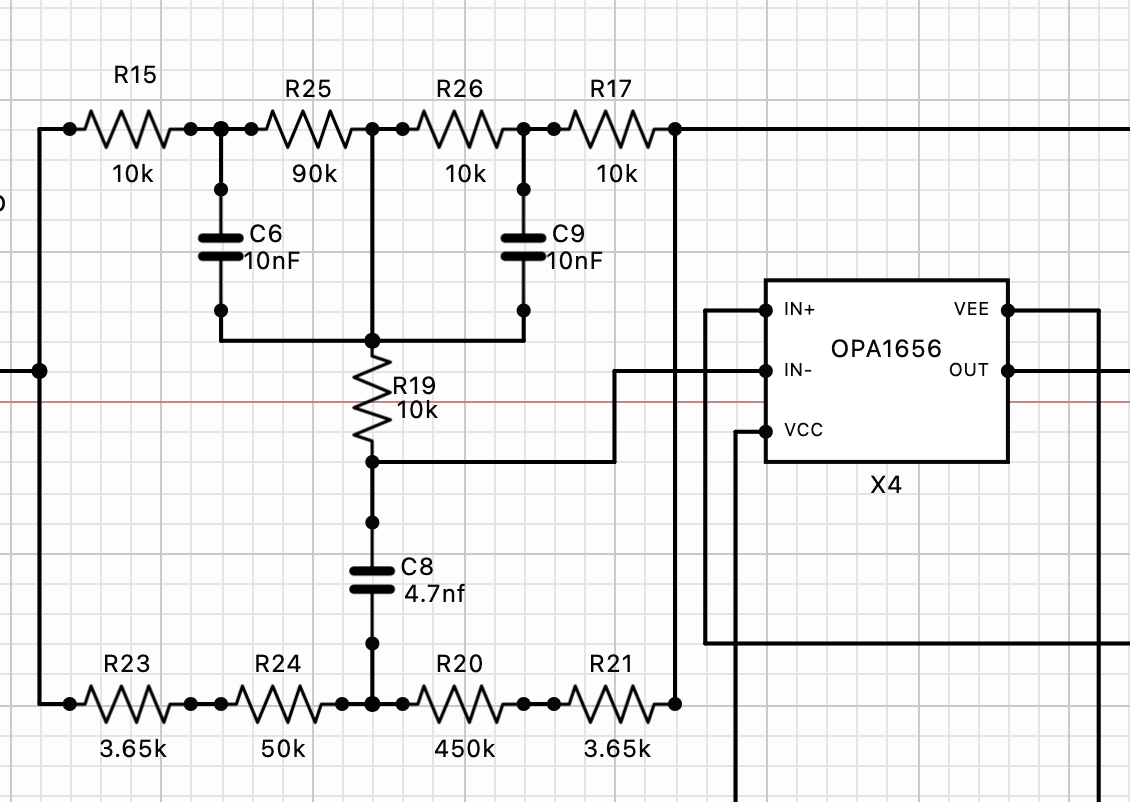
Every wire is a named net. Every component carries its SPICE model. The canvas validates connectivity on the fly, so by the time you hit Simulate, your netlist is already clean.
Run multiple analyses together, then overlay multiple runs to compare component values. The Compare Analyses view lets you toggle runs, switch between dB, voltage, and phase plots, and isolate exactly what changed.